PHOTO ENTRY UPDATE Now Available!
Make Your Listing Photos Work Harder for You
Photos are one of the most important elements of your listing — and clear photo descriptions help highlight the features that matter most.
Effective February 18, 2026, when uploading photos, you have the option to add a Photo Type and Photo Description. You can enter your own text or use Realcomp’s AI tools to automatically generate them for you.
Adding a brief description helps provide context and keeps your listing looking polished and professional.
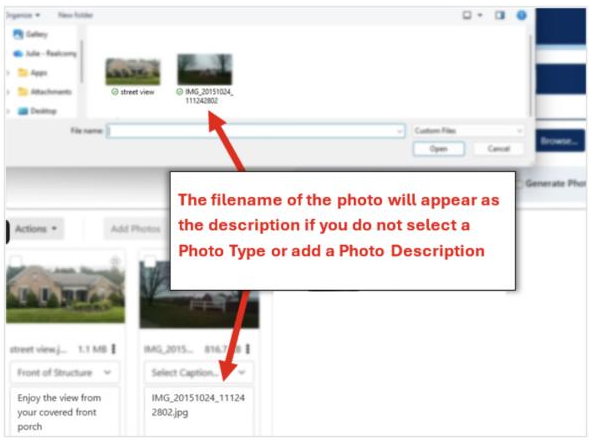
If no Photo Type or Photo Description is entered, the system will automatically use the photo’s filename as the description when you save.
That means buyers may see something like:
IMG_20151024_111242802.jpg
Taking a moment to select a Photo Type or add a description ensures your listing presents clearly and professionally.
You remain in control of your listing content at all times.
If you have questions regarding this or any other Realcomp product or service, please call Realcomp Customer Support at 866.553.3430 *Option #2*.